Your standard on every job, with proof.
Build a checklist once. Your crew fills it in on their phone with photos, notes and a signature, and your customer gets a branded copy from you.
Start 30-Day Free Trial1. Build it once, your way
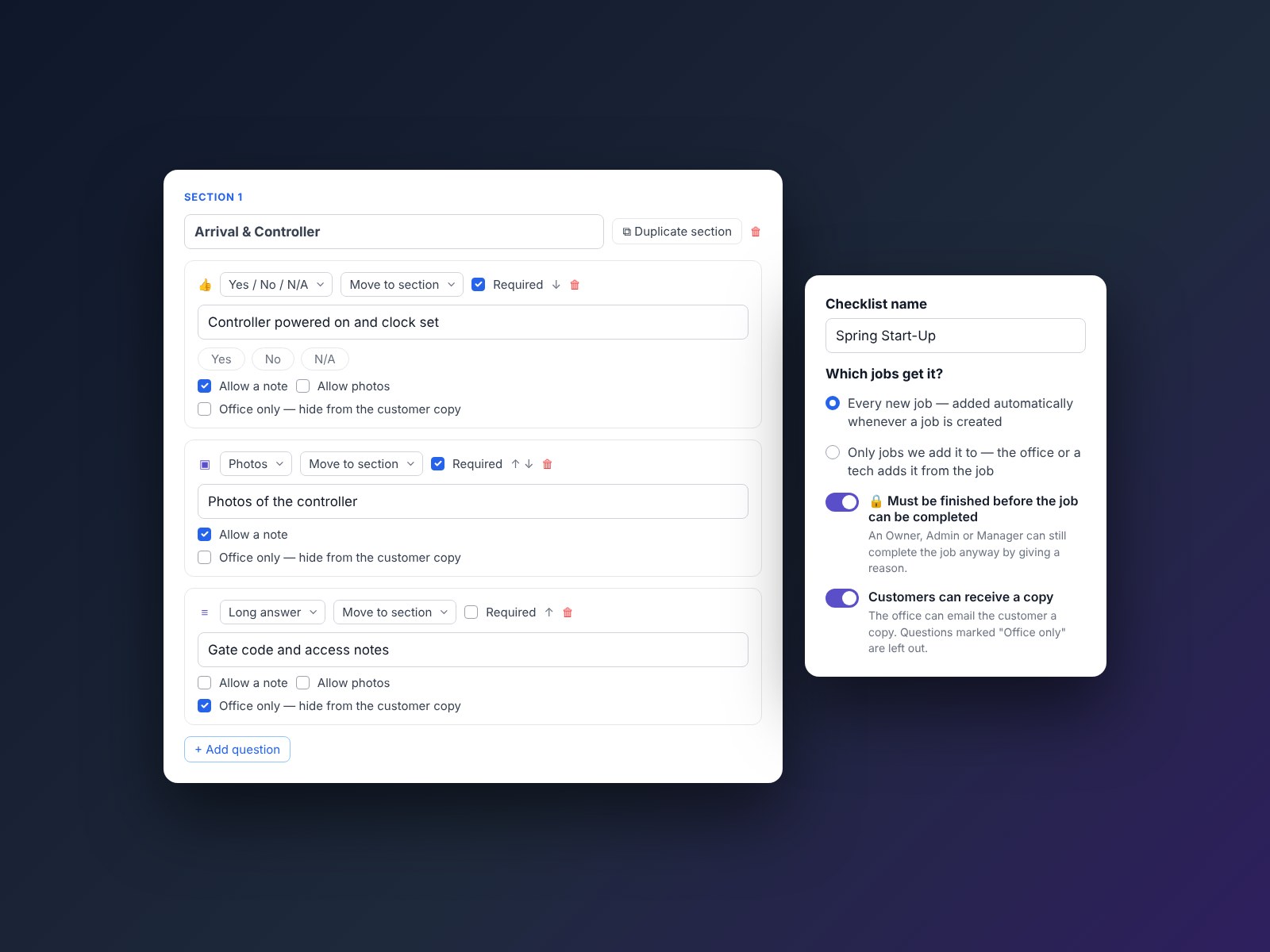
In Settings, build your checklist in sections with Yes/No/N/A, pick one, pick as many, tick boxes, short or long answers, numbers, dates, photos, signatures and instruction lines. Make any question required, and choose which questions let your techs add a note or photos. Only owners, admins and managers can change it.
2. On the right jobs, automatically
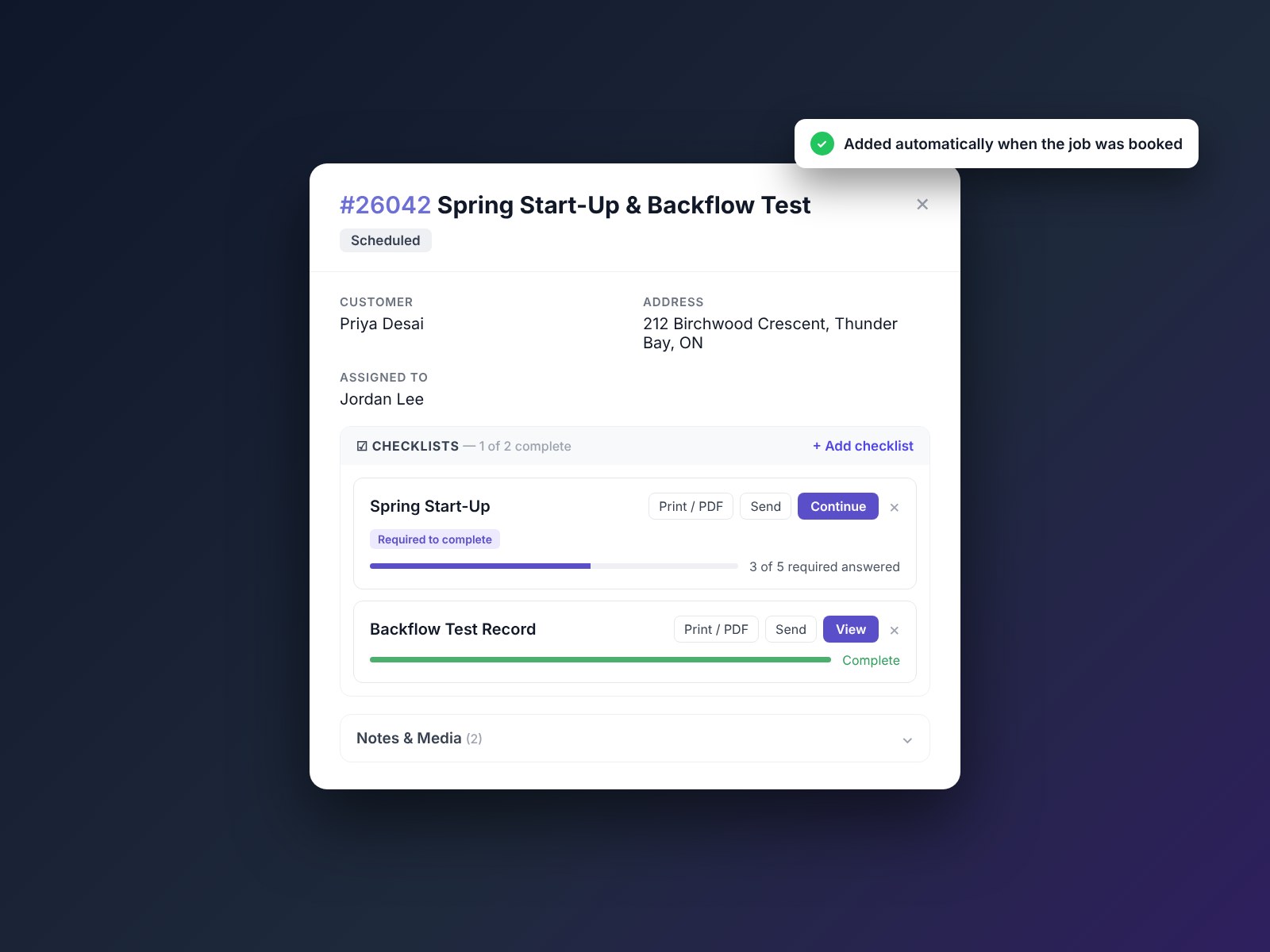
Add a checklist to every new job automatically, or only to the jobs you choose. Pick it when you book the job in the office or add it later from the job, and your assigned tech can add one from their phone on site.
3. Filled in on site, photos and all
Your crew opens the job and works through the checklist on their phone. They can add up to 10 photos per question and a note where you allow one, and your customer signs right on the tech's phone. Lose signal at the job? Keep going. Answers and signatures are saved on the phone and sent when signal comes back. Just open the job while you still have signal, and keep the app open.
4. Nothing gets skipped
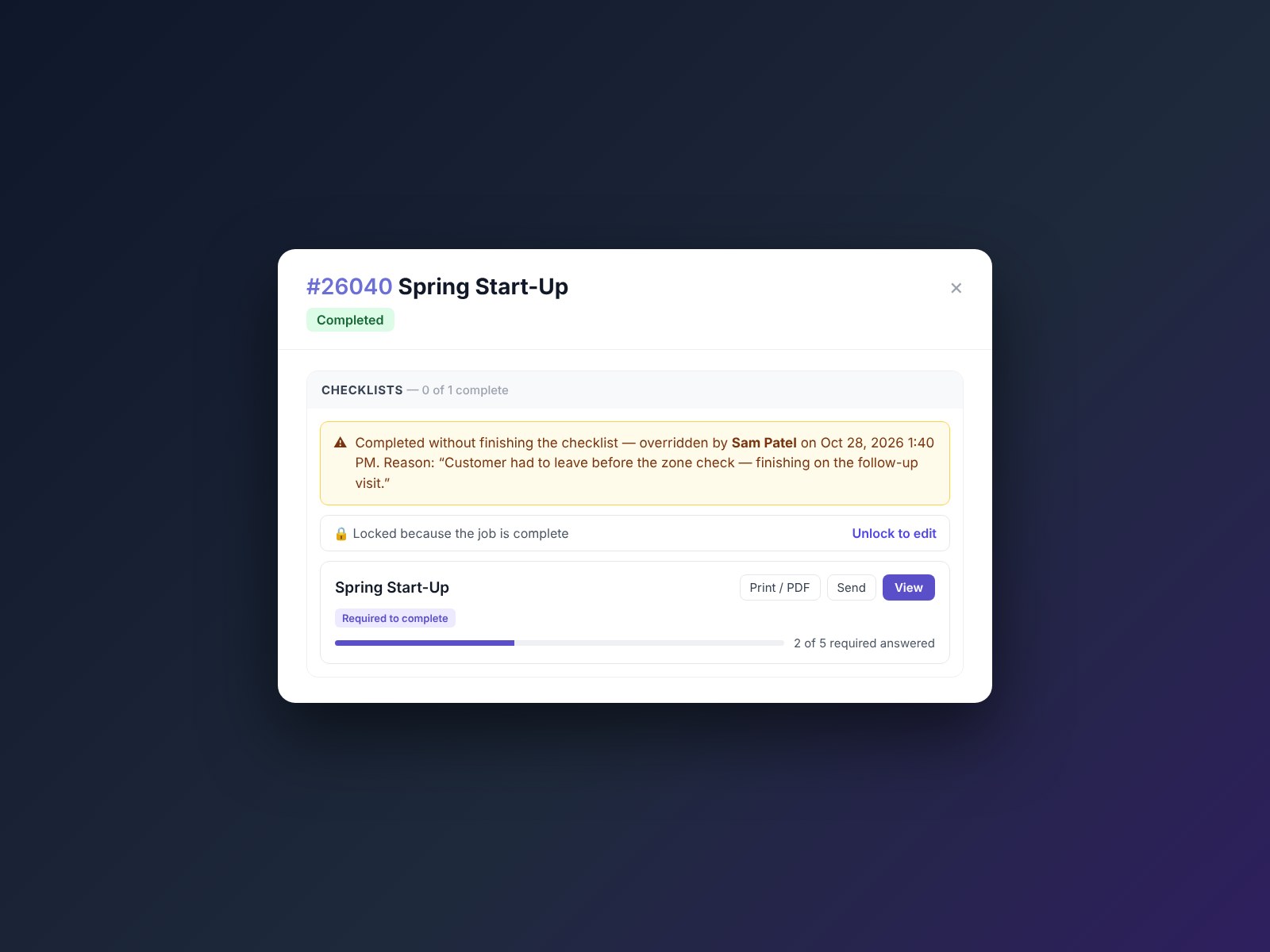
Mark a checklist as must-finish and the job can't be marked complete until it's done. If a job really has to close early, an owner, admin or manager can override it, and the reason is recorded on the job.
5. Proof your customer can keep
Every copy is a branded PDF with your logo, company details, the answers, notes, photos and signature. Email it from the job under your company's name, and replies come back to you. When you email the invoice from the web, tick a box to attach the checklist. On site, your tech can hand over the phone and show the customer their copy.
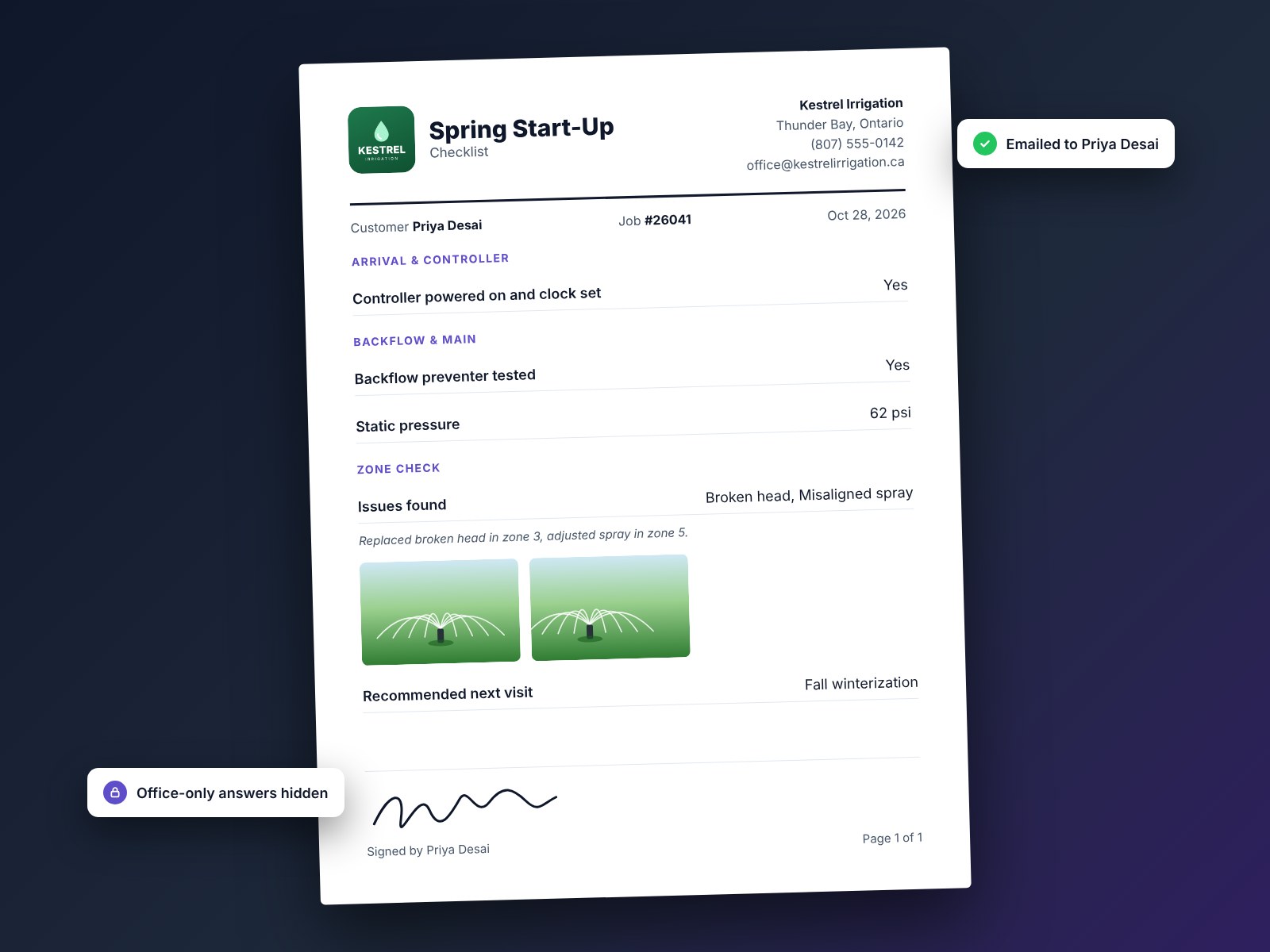
6. Private stays private, and removed stays on record
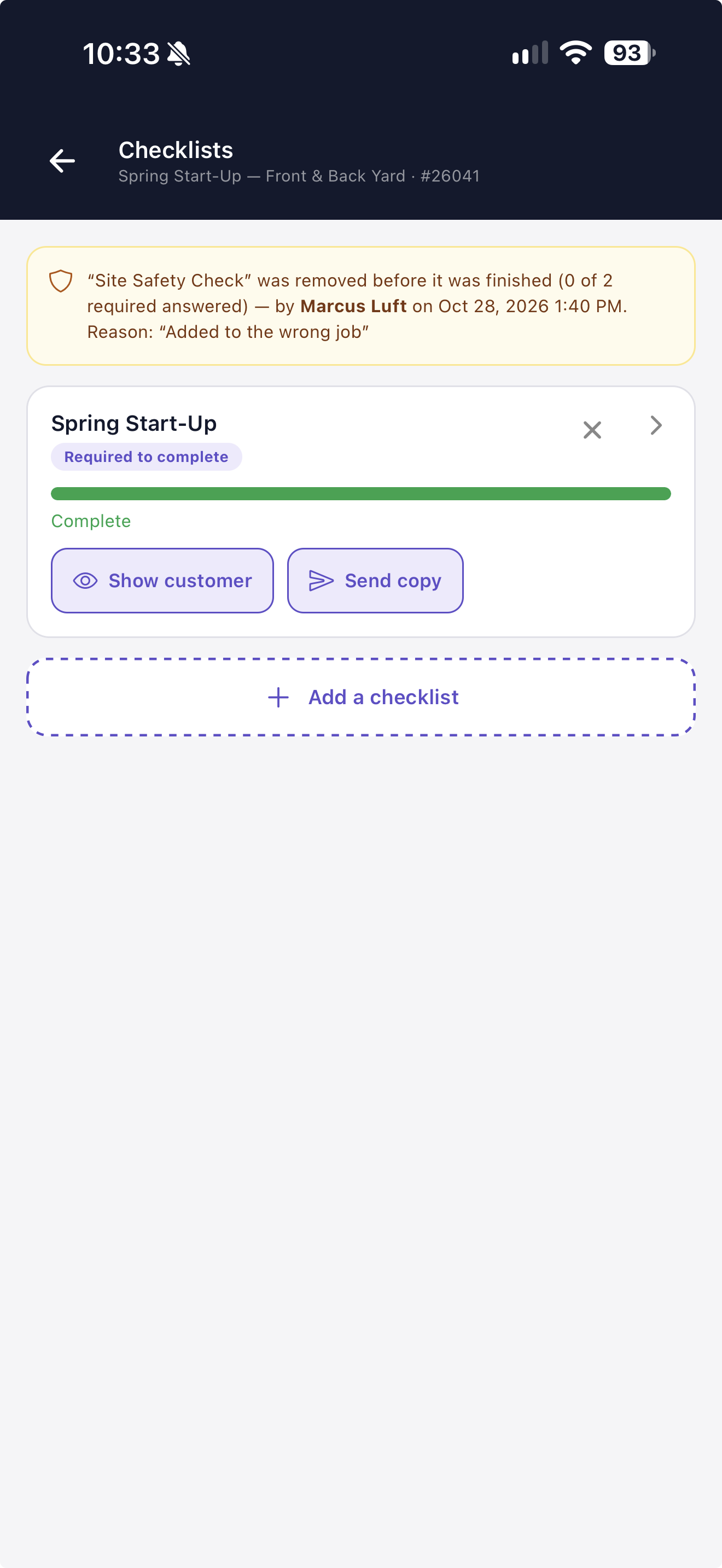
Mark any question "Office only" and it never appears on the customer's copy. Checklist copies are never posted as a public link, and Spatchy keeps a private copy of exactly what was sent. Removed checklists and photos are kept, not deleted, so the office can always see who removed what and when.
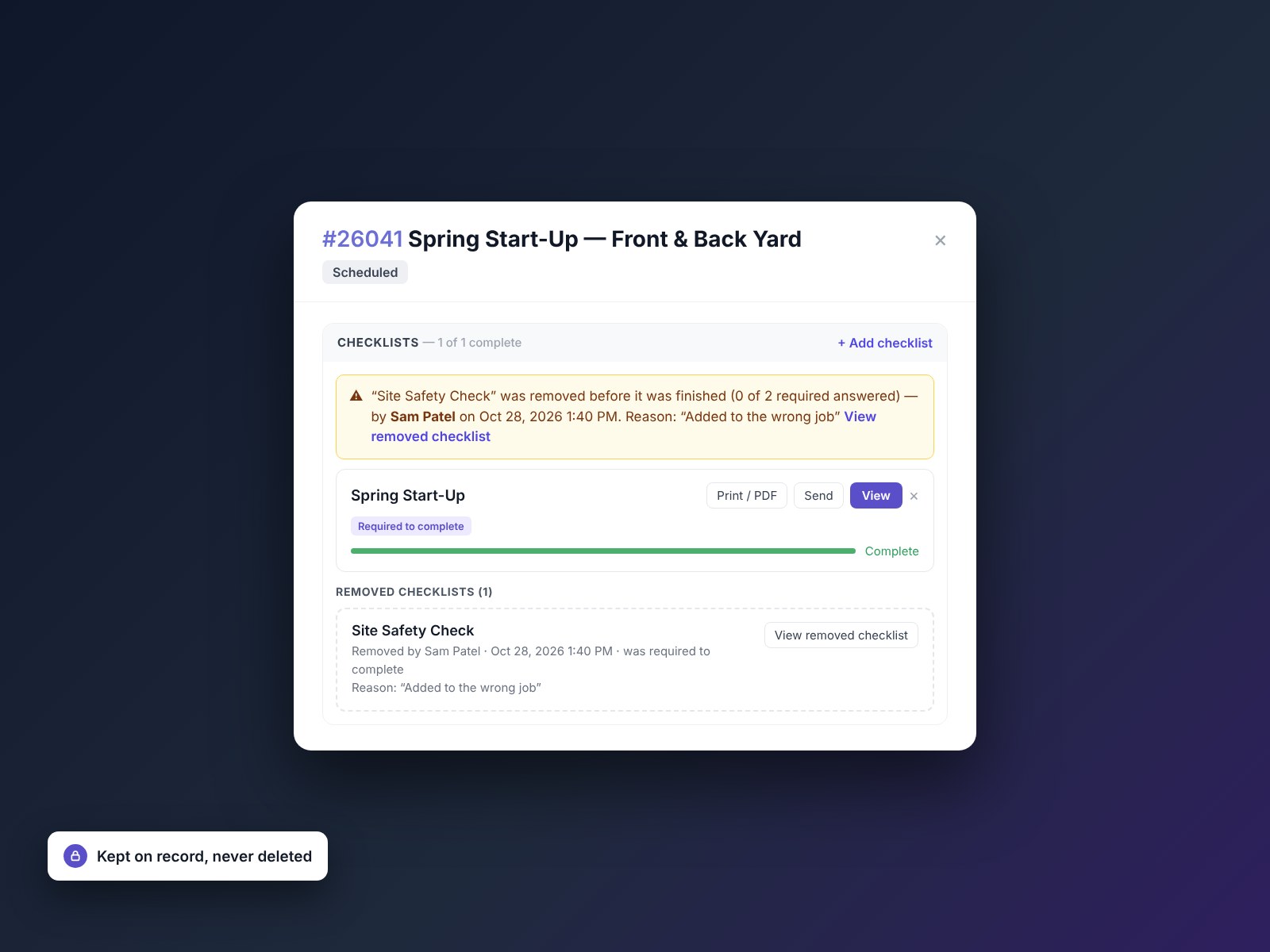
Photos and signatures included, on every plan.
Some field service apps sell checklists as an add-on, or charge extra for photo questions. In Spatchy, every question type, every photo and every customer copy is included on every plan.
Everything included. No upgrades required.
Every feature on this page is included on every Spatchy plan. No upgrade tiers. No gatekeeping. Just the full toolkit from day one.
Get Started